
Search
Find any note, folder, or tag with full-text search and the command palette.
Search finds notes by the words in them. It's fast, it's literal, and it's the right tool when you know roughly what was said.
When you don't remember the words — "what did we decide about pricing?" — that's Ask AI, which reads your notes and answers.
Searching
Press ⌘K, or click Search in the sidebar. Type, and matching notes appear
as you go.
Press Ctrl+K, or click Search in the sidebar. Type, and matching notes
appear as you go.
Press ⌘K / Ctrl+K, or click Search in the sidebar. Type, and matching
notes appear as you go.
Tap the Search tab. Results are grouped into tags and notes, and the tag library sits underneath so you can browse instead of type.
Tap the Search tab. Results are grouped into tags and notes, and the tag library sits underneath so you can browse instead of type.
Search covers a note's title and body. Titles count for more, so a note actually called "Acme pricing" beats one that mentions it in passing.
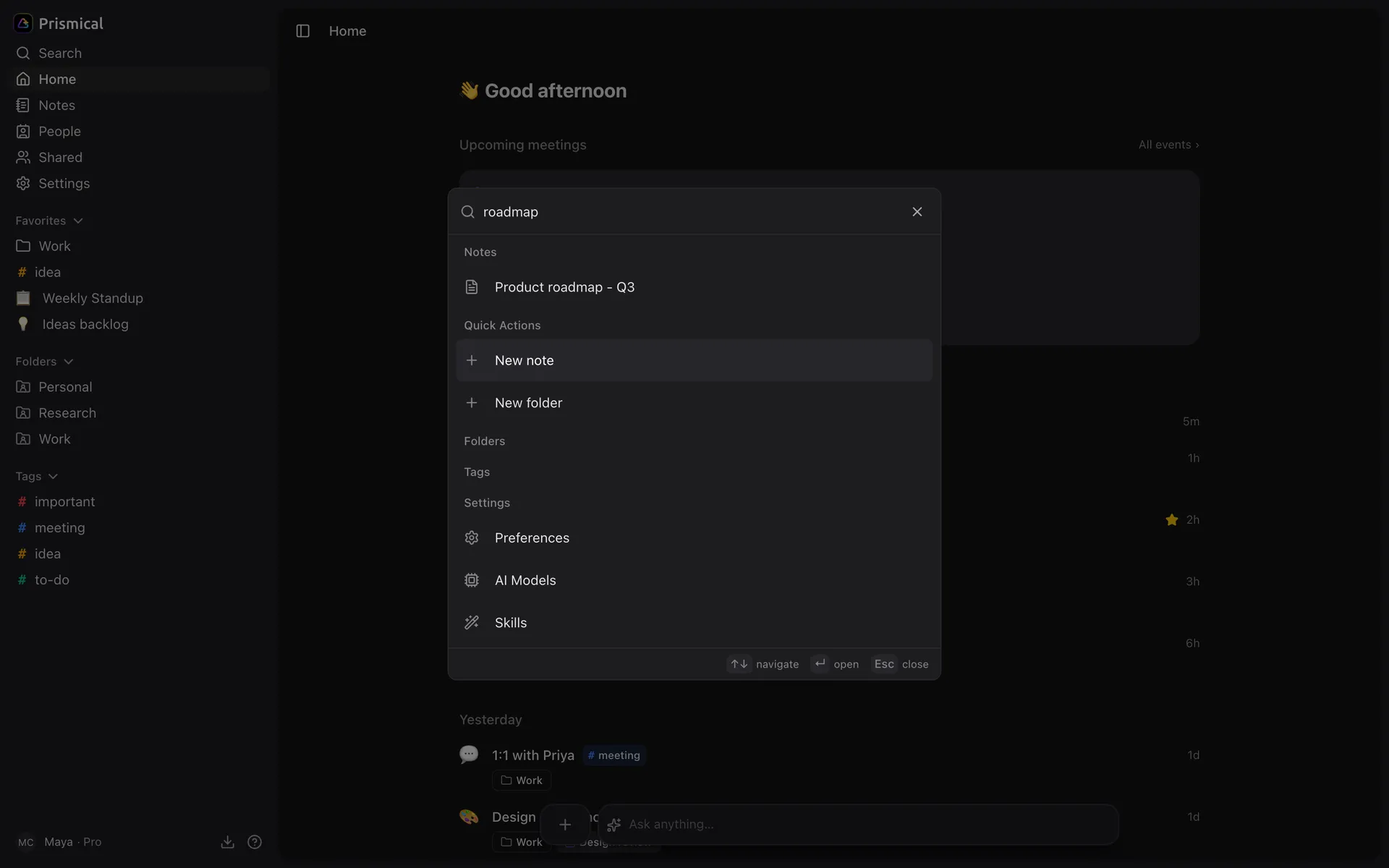
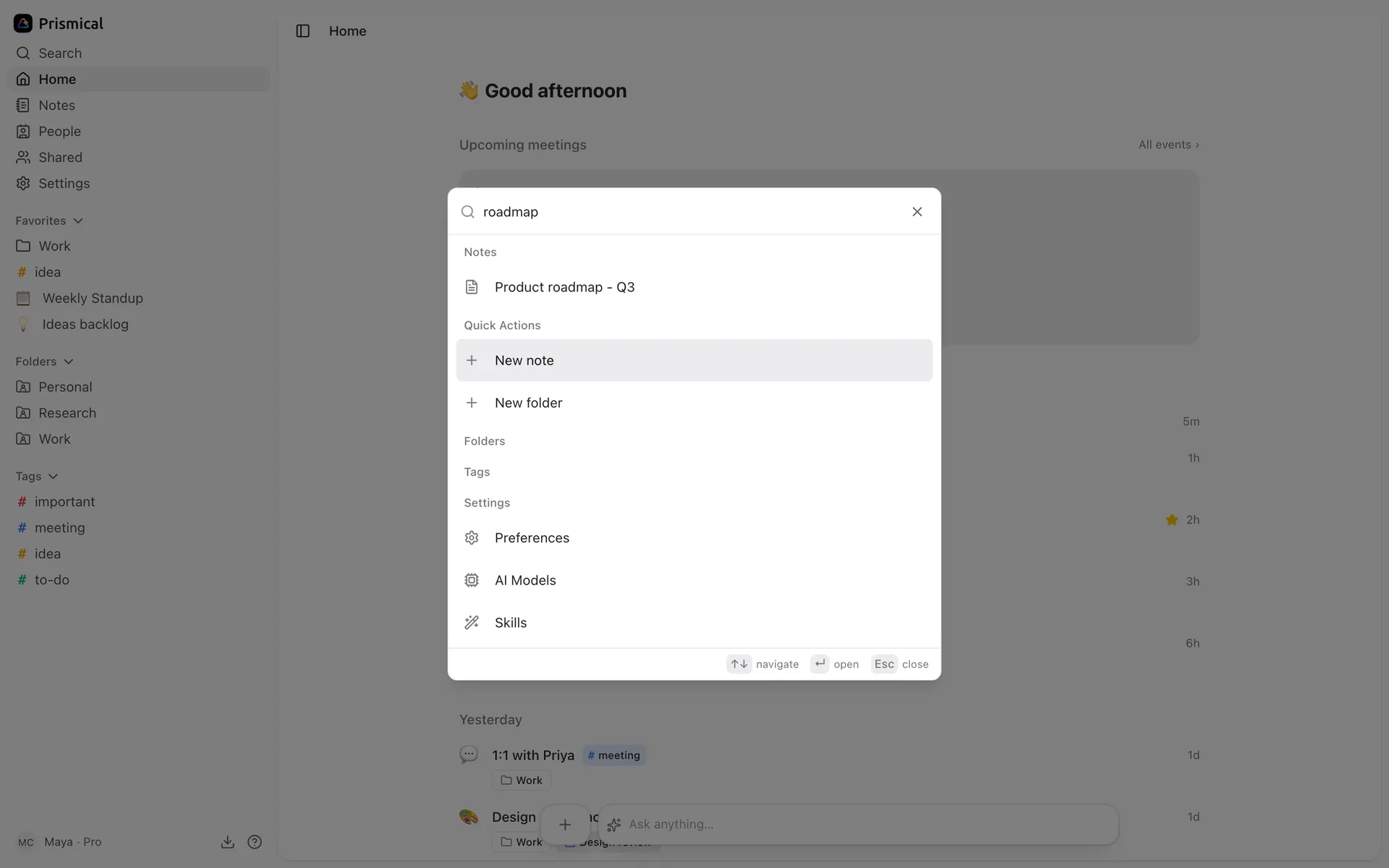
You'll only ever see notes you have access to — including ones shared with you, and never anything in someone else's account.
What It Matches
Words, not meaning. Search for pricing and you'll find "pricing" and "priced";
search for cost and you won't find "pricing" at all.
If you can't find a note you know exists, try the words the note itself would have used rather than the ones you'd use now. Or ask Ask AI, which is built for exactly that gap.
Typos won't match, and there's no fuzzy matching.
The Command Palette
⌘K is more than search. The same box jumps to folders, tags, and settings pages,
and makes a new note or folder without you touching the sidebar.
Open it with nothing typed and it lists your recent notes — usually enough to get back to what you were doing thirty seconds ago.
Navigate with ↑ ↓, open with ↵, dismiss with Esc.
Offline
On your phone, search keeps working without a connection — it matches titles and tags from the notes already on your device, and searches inside notes again once you're back online.
On web and desktop, search needs a connection.