
Vocabulary
Teach Prismical the names, jargon, and acronyms it keeps getting wrong, and fix consistent mishears automatically.
Every transcriber struggles with the same things: unusual names, product names, acronyms, and industry jargon it's never heard. Vocabulary is where you teach Prismical the words that matter to you.
Two Things It Does
Open Settings → Vocabulary and click Add word. The Replacement toggle decides which of two jobs you're doing.
Leave Replacement off and enter a New word or phrase.
This tells the transcriber a word exists — your company name, a product,
a colleague's surname, an acronym like SOC 2. It's for words that are spelled
right when they're heard right, but get missed because they're unusual.
Turn Replacement on and you get two fields: Misheard as… and Correct spelling.
This is for the word that comes out wrong the same way every time — "Kubernetes" landing as "cooper netties", or a name the transcriber consistently mangles. You tell it what it hears and what you meant, and it fixes it going forward.
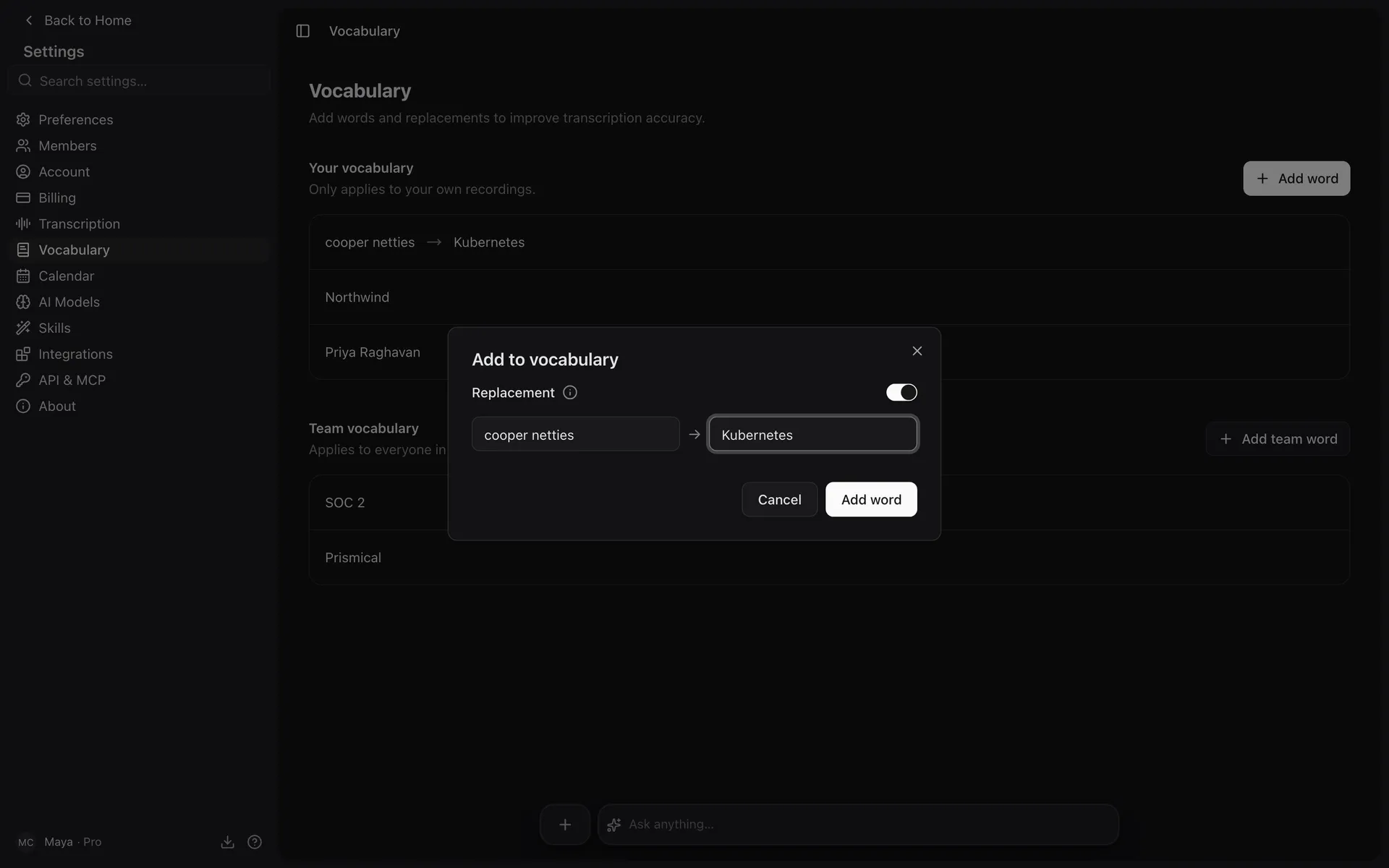
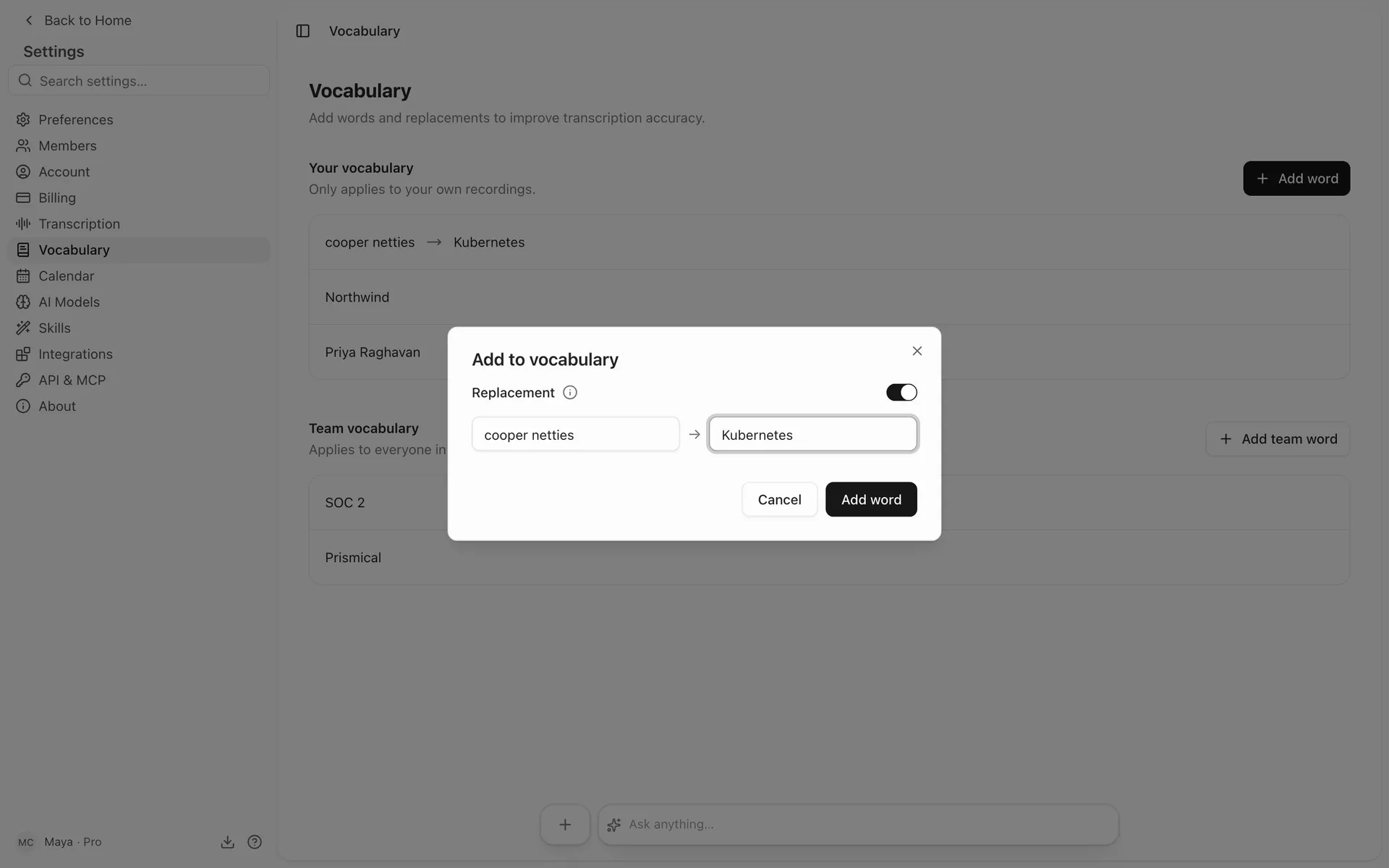
Add as many as you like. Each one is a small, permanent improvement to every transcript from then on.
Your Words and Your Team's
If you're in an organization, Add team word puts an entry in the shared list instead of your own. Team words apply to everyone in the organization, so the company and product names only need adding once.
Your personal words and your team's are both used together. Where the two disagree, yours wins — so you can correct a team entry for yourself without changing it for everyone. Removing a team word stops it applying for the whole organization.
Which One to Use
| You're seeing | Use |
|---|---|
| A word simply missed or garbled inconsistently | New word or phrase |
| A word wrong the same way every time | Replacement |
When in doubt, start with a plain word entry. Reach for a replacement only when you can point at the exact wrong spelling it keeps producing.
Editing and Removing
Every entry has an edit and a delete. Editing opens the same dialog with Save changes in place of Add word; deleting asks you to confirm, then takes it out. Removing an entry only stops it applying to future transcripts — nothing you've already recorded changes.
Good Words to Add
The highest-value entries are the ones that come up constantly and are hardest to guess:
- Your company and product names — the words in every meeting you have.
- People's names, especially uncommon spellings.
- Acronyms and initialisms your team lives in.
- Domain jargon — the terms an outsider wouldn't know how to spell.
You don't need to add ordinary words. The transcriber handles the language fine; vocabulary is for the words that are yours.