
Folders
Group related notes into folders for projects, clients, and recurring work.
Folders are the obvious tool for the obvious job: everything for one client, one project, or one course in one place.
A note lives in one folder at a time. If you want a note to appear in several places at once, that's what tags are for — the two are meant to be used together.
Making One
Click + next to Folders in the sidebar, or press ⌘K and choose New
folder. Name it and it's there.
Rename or delete a folder from the ⋯ menu on its sidebar row.
Folders Inside Folders
The same ⋯ menu has New subfolder, so a folder can hold folders as well as notes — a client with a folder per project, a course with one per term. Click a folder's icon to expand it and see what's underneath.
Filing works the same at any depth: a note lives in one folder, whether that folder is at the top level or three deep.
Filing a Note

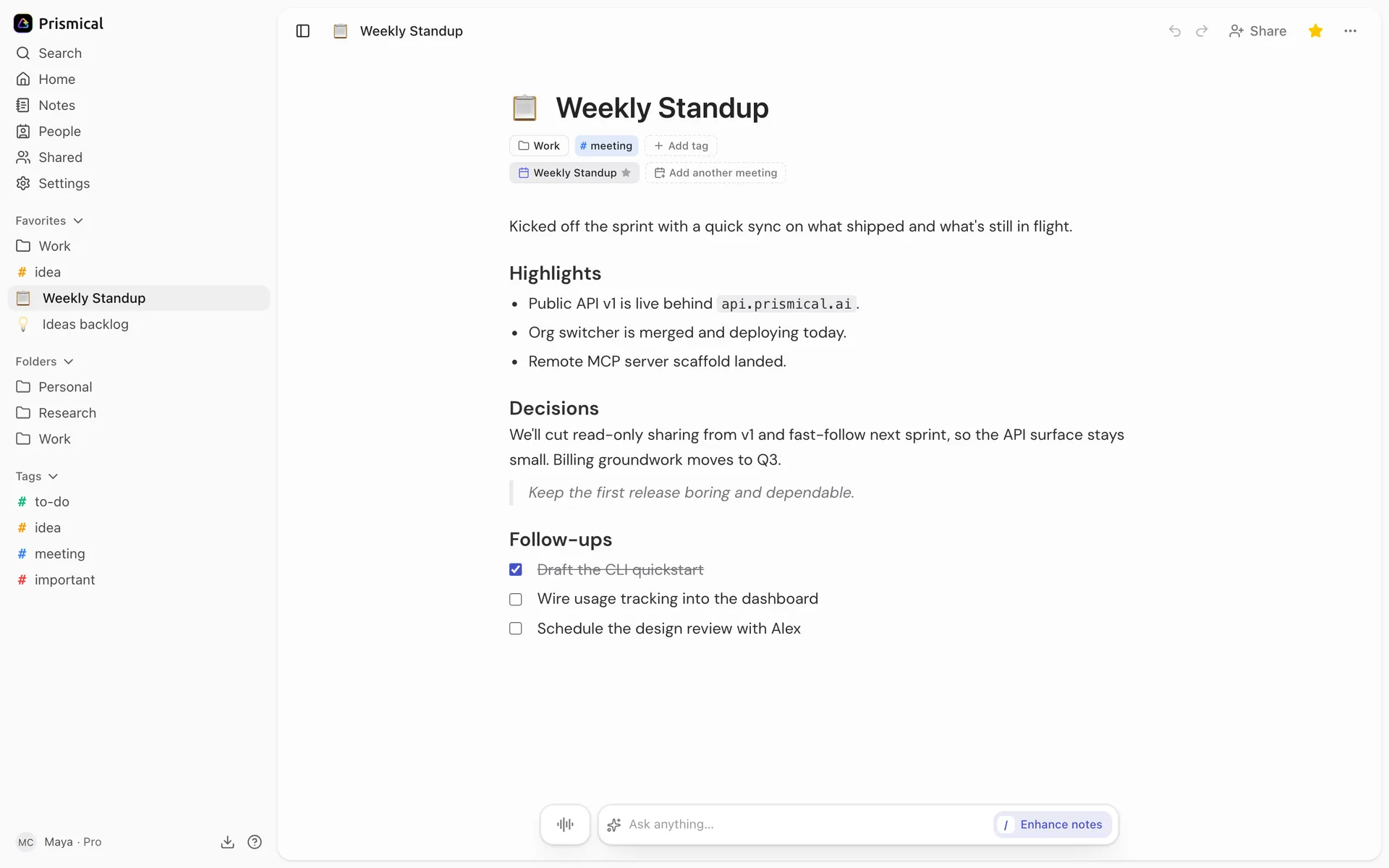
- Favorites: the notes, folders and tags you've starred.
- Folders.
- Tags.
- The star favorites the note you're in.
Open the ⋯ menu on any note in the sidebar and pick a folder. The same menu has Remove from folder to take it back out.
You can also file a note the moment you make it — new notes created from inside a folder land there.
Filtering by Folder
Click a folder in the sidebar to see only its notes. Combine that with a tag filter
to narrow further — "everything in Acme tagged follow-up".
Deleting a Folder
Deleting a folder never deletes its notes. They stay in your notes list; the folder just stops existing. This is the safe way out of an organizing scheme you've outgrown.
That's the opposite of deleting a note, which is permanent. See Notes.
Folders on Your Phone
Folders are on the iOS and Android apps too — you can file a note, browse a folder, and filter by one. The sidebar's nested view is a bigger-screen thing, so deep hierarchies are easier to build on desktop and web.