How Prismical works
The shape of Prismical: what a note is, where recording and transcription happen, and what syncs.
Prismical is built around one loop: capture, transcribe, enhance. Everything else on this site is a detail of one of those three steps.
The Loop
Capture
Hit record and talk, or let a meeting run. Prismical records the audio and you type alongside it — rough bullets, names, half-thoughts. No bot joins your call and nobody gets an email saying you're recording.
Transcribe
The audio becomes text, either in Prismical's cloud or on your own machine. Segments appear while you're still recording.
What a Note Actually Is
A note isn't a transcript, and this trips people up at first.
A note is what you wrote. Recordings attach to it, and each recording carries its own transcript. They're separate things living together:
This is why Enhance can do something a transcript tool can't: it has both halves. The transcript knows what was said; your notes know what mattered. It's also why enhancing never destroys your transcript — Enhance writes to the note, and the recording is untouched.
One note can hold several recordings. A weekly sync you record every Tuesday can be one note that grows, or a new note each week — that's your call.
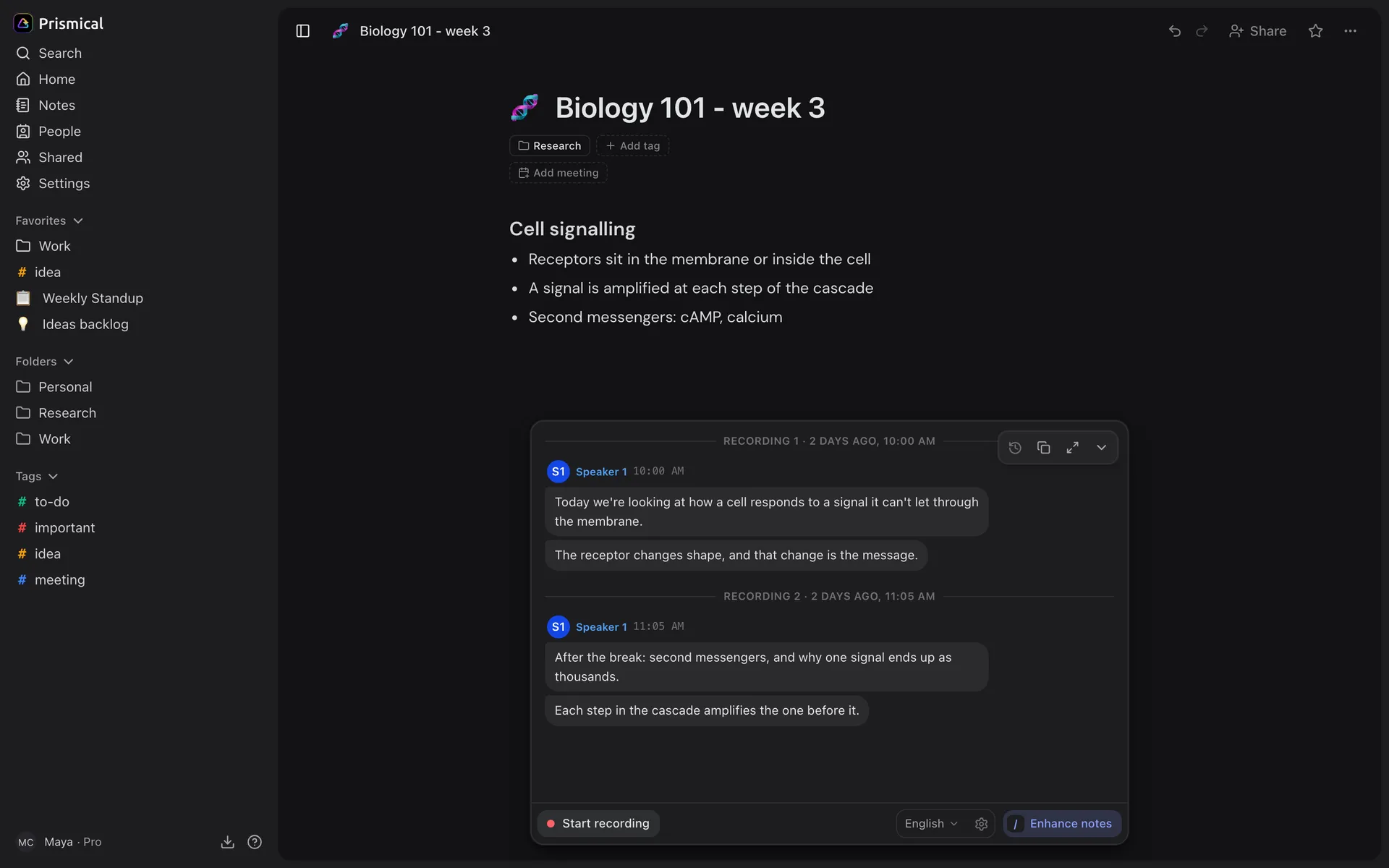
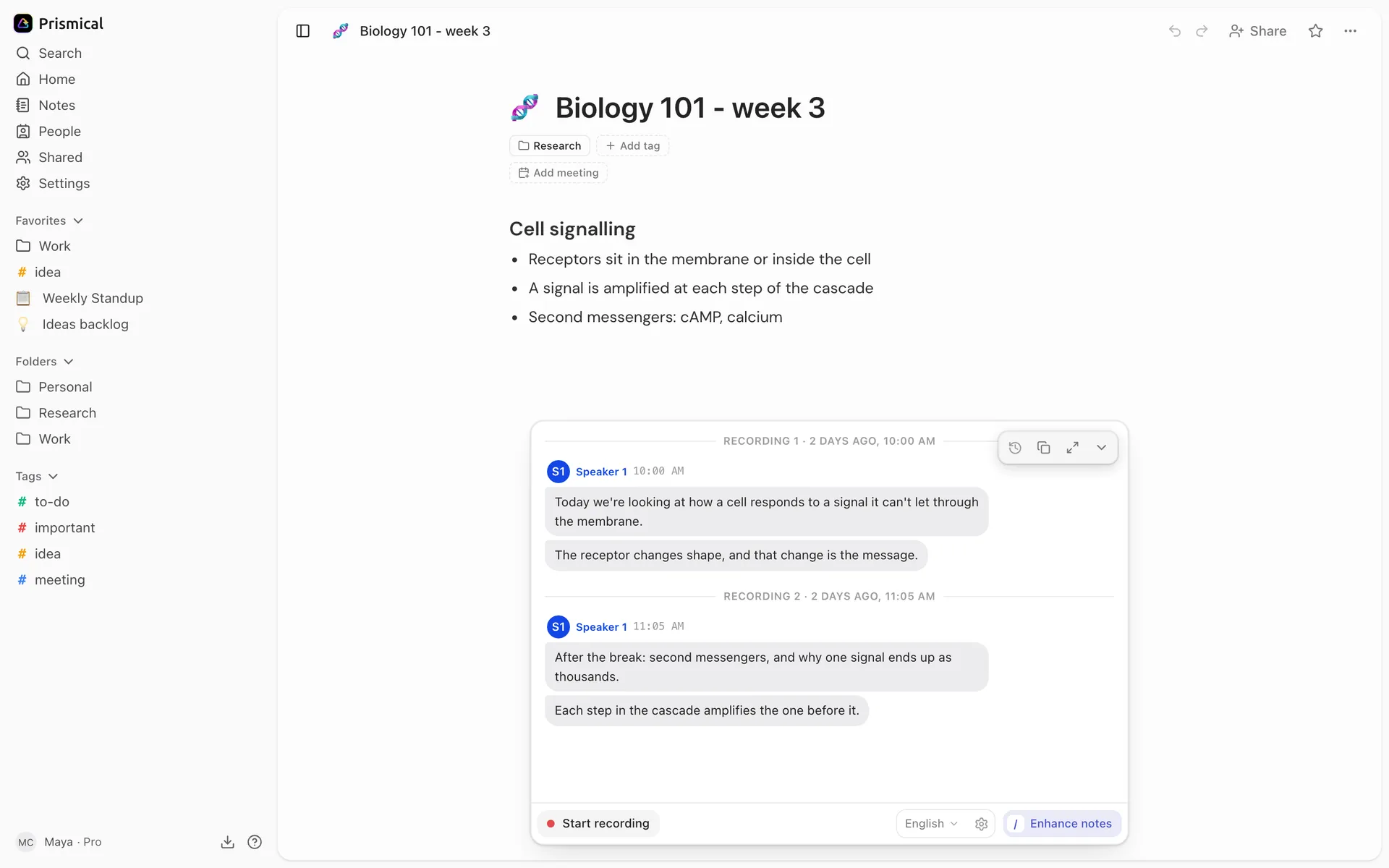
- What you wrote: the note itself.
- Recording 1, with its own transcript.
- Recording 2, added to the same note after the break.
- Enhance notes brings the two halves together.
Where Each Piece Runs
The honest answer is "it depends", and it's worth knowing which is which.
| Step | Where it happens |
|---|---|
| Recording | On your device, always. |
| Transcription | On your machine with an on-device model, or in the cloud — ours, or your own provider if you'd rather. |
| Enhance, skills, Ask AI | In the cloud, always — with our model or your own key. |
| Your notes | In your account, synced to every device. |
Two things worth knowing fall out of that table:
- On-device transcription keeps audio on your machine. Cloud transcription audio is kept briefly so the transcript can be finished, and recovered if something goes wrong, including when you use your own API key. See Local transcription for the first, and Privacy & Security for retention details.
- The free monthly limit only counts cloud transcription — not your writing, not recording, not the AI features. See Plans.
What Syncs
Your notes live in your account. Write on your laptop, read on your phone, record on your desktop — it's one workspace, and sync is automatic.
Recordings and their transcripts sync too, which is why you can record on your desktop and enhance it later from your phone.
Microphone, System Audio, and Why Desktop Matters
There are two different things a device can record, and this is the single biggest difference between the platforms.
| What it captures | |
|---|---|
| Microphone | You, and anyone in the room. Every platform can do this. |
| System audio | What your computer is playing — the other people on the call. |
For an in-person conversation, a microphone is all you need, and your phone is a fine recorder. For a video call, the microphone only gets your half — the other people come out of your speakers, so capturing them takes system audio.
System audio is a desktop capability, and on macOS it needs Sonoma 14.2 or later. See Meeting recording and What's different per platform.
This is the honest reason to install the desktop app: it's not a bigger version of the web app, it's the one that can hear both sides of a call.