
Bring your own key
Connect your own AI provider account to pick a specific model, on your own bill.
Connect a provider account of your own and Prismical will use it instead of Prismical Cloud. Worth doing when you want a specific model, your own provider bill, or your own agreement with that provider about your data.
Premium
What Each Provider Can Do
| Provider | Transcription | Text generation | Labels speakers |
|---|---|---|---|
| OpenAI | Yes | Yes | No |
| Google Gemini | Yes | Yes | No |
| Deepgram | Yes | — | Yes |
| OpenRouter | — | Yes | — |
Deepgram is the only provider of your own that can tell voices apart. With any of the others as your transcription model, you get a full transcript without speaker labels — Prismical warns you before you set one as your default. See Speaker identification.
Gemini's free tier limits how many requests you can make in a window, which is below what a live recording needs. A long recording can stall part-way through rather than failing outright. A paid Gemini key doesn't have this problem.
Connecting One
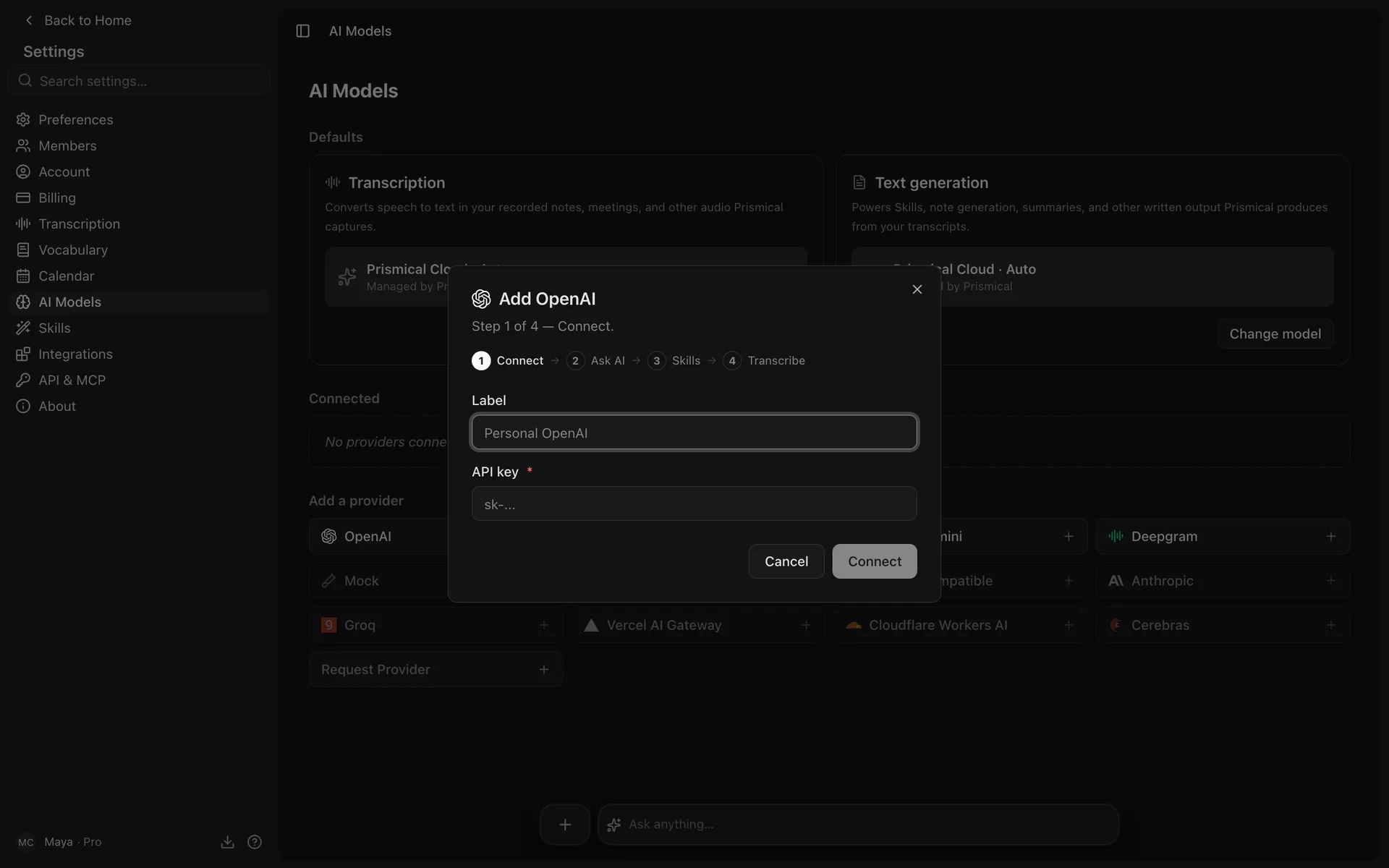
Add the provider
Settings → AI Models → Add a provider, then pick one from the list.
Label it
Something like "Personal OpenAI" — it's how the provider shows up in model pickers, and only you see it.
Paste your API key
Prismical fetches the models your key can reach, which also confirms the key works.
Choose what it powers
Finish the wizard to set it as your transcription or text-generation model.
Prismical lists whatever models your key can reach, so a new model from your provider generally appears on its own.
Choosing Which Models Appear in Ask AI
Ask AI's picker is curated so it doesn't become a wall of every model your key can reach. Open a connected provider and use Models in Ask to tick the ones you want.
Leave every model unticked and that provider won't appear in the Ask picker at all. If you connected a key and Ask still only offers Auto, this is why.