
Interviews
Record research interviews, user calls and hiring conversations, and get quotes you can attribute.
An interview has a need most recordings don't: you need the words exactly right, and you need to know who said them. Prismical separates the voices and lets you put real names on them, so the transcript reads as a conversation rather than a wall of text.
Recording someone for research or publication is a consent question long before it's a technical one. Prismical announces nothing to the room — that part is yours.
Before You Start
Put the device between you and whoever you're interviewing, closer to them than to you. A phone on the table beats a laptop pushed to one side.
Use the desktop app, which records their audio directly rather than picking it up off your speakers. It's a cleaner signal and a cleaner transcript. See Meeting recording.
While You Talk
Don't take down what they're saying — that's handled, and looking at a keyboard during an interview costs you the interview.
Type markers instead: "good quote", "contradicts what they said earlier", "follow up on pricing". Those few words are what you'll navigate by afterwards.
Naming Who Said What
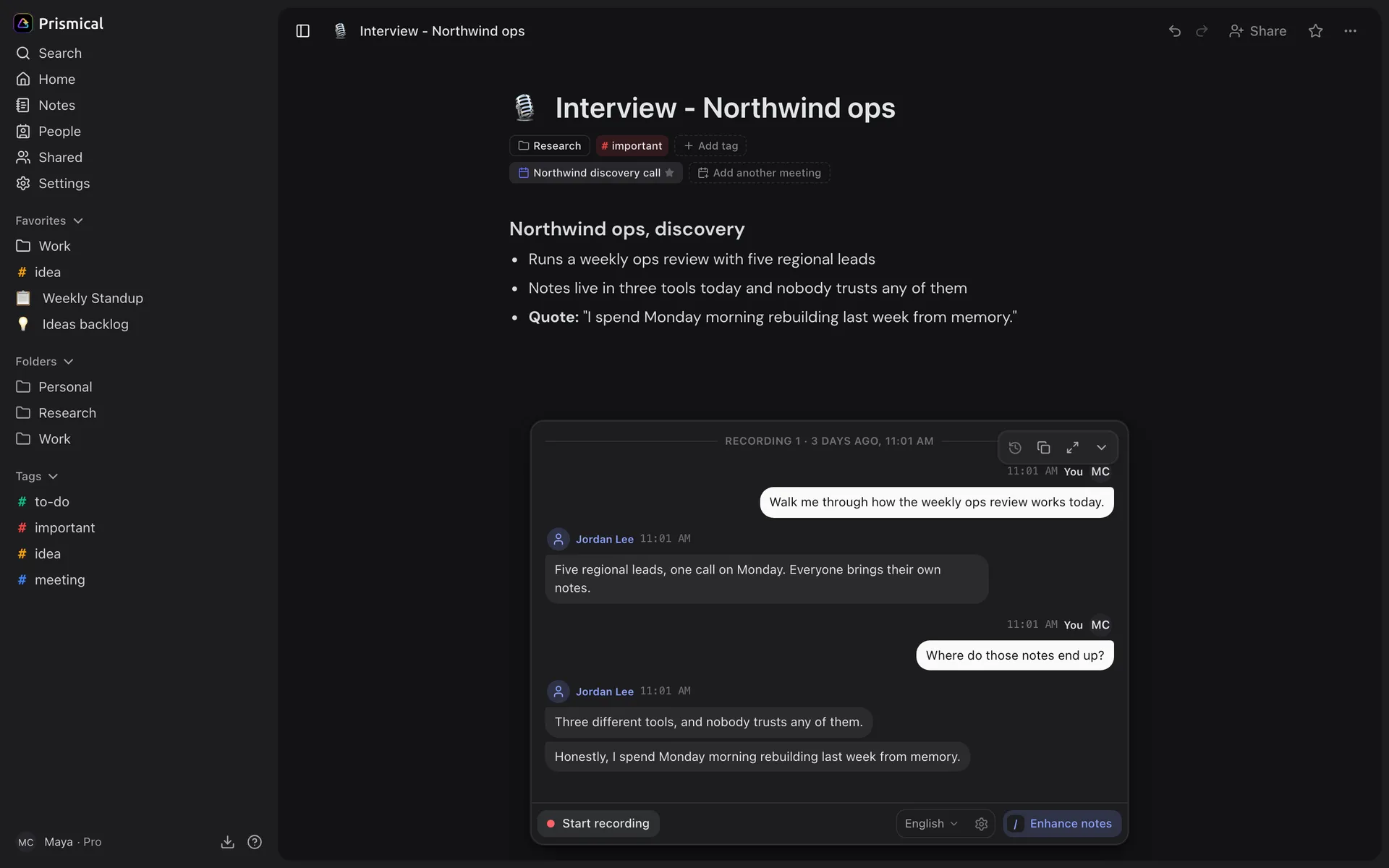
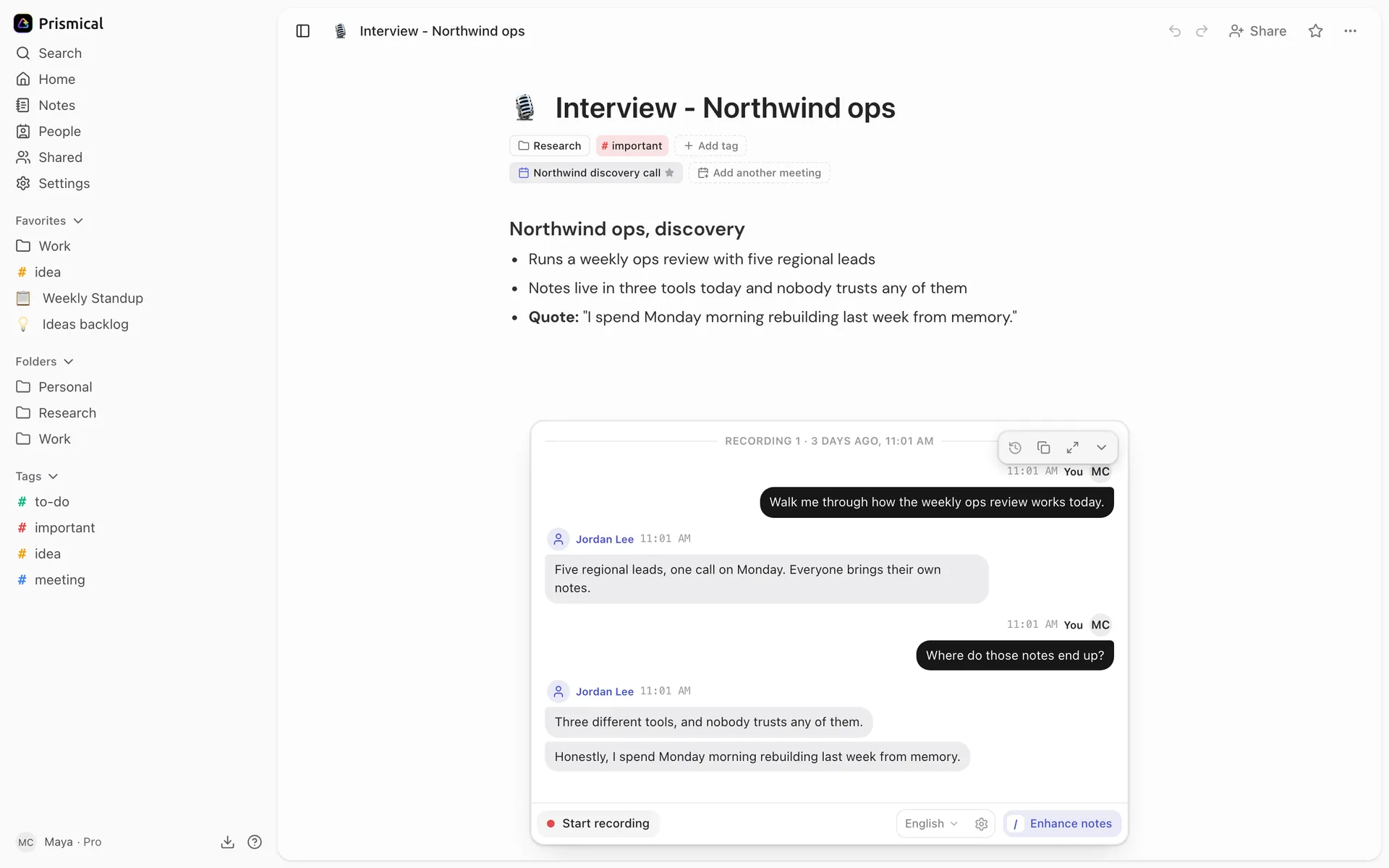
When you stop, Prismical separates the voices. Open a speaker's name and tag it — mark yourself with This is me, and tag your interviewee from People or rename them.
Do this before anything else. Every quote you copy out carries the name from then on, and Enhance and Ask AI use it too, so what you get back says "Priya raised pricing twice" rather than "Speaker 2". See Speaker identification.
Getting the Quote Out
The transcript is the record of exactly what was said, and
Copy transcript gives you all of it as Name: text — ready to paste into a document
or a research write-up.
Across a Whole Study
One interview is a note; fifteen is a finding. Tag them by study or round, then ask Ask AI with that tag as context — "what did people say about pricing?" — and you're reading the whole set at once instead of reopening each one.